The term "UI/UX design" is often bundled with web and app design. But what exactly does the term mean? What is UI/UX design about? Read on to find out!
What’s the difference between UI & UX Design?
This may sound surprising, but UI/UX actually refers to two separate, yet closely interlinked fields of design.
User Experience (UX)
UX design is all about user experience—how easy and comfortable it is to use a product. Let’s take app design for example. UX designers have to ensure that key interface elements can be navigated and accessed with minimal effort from the user. They plan how an interface operates and adheres to user app habits.
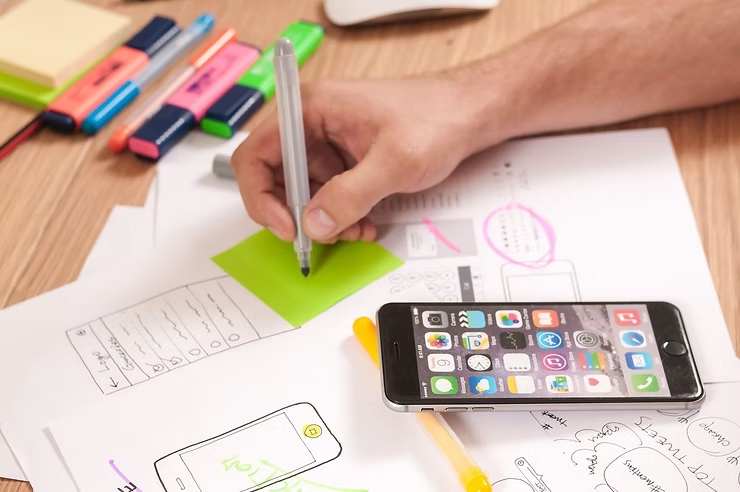 Photo Credit: Firmbee @ Pixabay
User Interface (UI)
UI design, on the other hand, is about making the user interface pretty. UI designers are graphic designers whose goal is to make user interface elements eye-catching and clear for the user. To do so, they consider things like button shapes, color schemes, typography, image layout, etc.
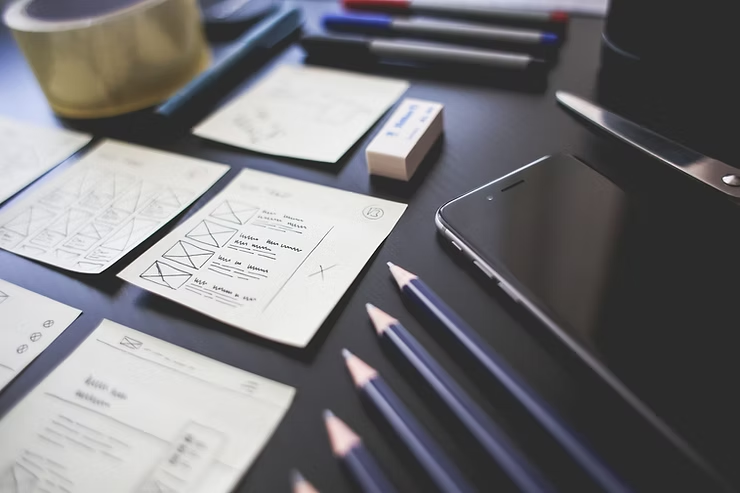 Photo Credit: Pixabay
Collaboration and Workflow
UX and UI designers work closely together to create a product that is both easily usable and stylish to use. UX designers propose a design strategy for how the interface works, then UI designers adapt their designs accordingly to enhance user experience.
UX/UI Workflow
- Research
This stage is mainly brainstorming and research. UX designers look for inspiration or problems users face. Information is gathered regarding main user groups, user habits, and pain points. - Ideation & Design Strategy
Brainstormed ideas are narrowed down into a design strategy. UX designers consider what the product should achieve, the priority of issues to tackle, and the business impact. - UX Design
Solutions are thought up for the underlined problems. UX designers consider all possible scenarios that users might face and refine solutions until the product is feasible and easy to use. - UI Design
UI designers produce an aesthetically pleasing design that highlights key elements of the design strategy. The interface should ideally be easy to use and deliver a pleasurable experience. - Prototypes and Testing
Lastly, product prototypes are tested repeatedly. Designers receive first-hand evaluation through usability tests using software such as Figma, Adobe XD, or Penpot.
Further reading:
Getting started with Penpot? Check out how to use these 6 basic functions!
Famous examples of UI/UX Design
You’ve probably used and enjoyed most of these sites/apps because of their excellent design:
- Instagram – Visual hierarchy prioritizes content to encourage endless scrolling.
- Pinterest – Waterfall effect allows smooth browsing of images.
- Spotify – Consistent behavior of the app shortens the learning curve.
- Airbnb – Informative, minimalist design.
- Uber – Design caters to two completely different user groups effectively.
- Dropbox – Responsive colors for each webpage to engage interest.
 Photo Credit: Brett Jordan @ Pexels
Want to know more about UI/UX Design?
Have a look at our posts about UI/UX and other graphic design topics on Facebook and Instagram. If you want to try out UI/UX yourself, we also offer a fun introductory course to help you grasp the basics. Feel free to have a chat with us if you have any questions!
#UIUX #design #designtips #learndesign