Frequently Asked Questions
Find answers about registration, OTP, and Krystal Office+.
Find answers about registration, OTP, and Krystal Office+.
Your email address is required as part of the registration process to verify your identity and account.
Once you submit the registration form, a verification email will be sent to the address you provided.
If you are unable to log in, it may be because you have not completed the registration process by clicking the verification link in the email.
If you have forgotten your password, you can click the Forgot Password link to reset it.
If you haven't received the verification email, please check your spam or junk folder.
If you still can't find it, you can request a new verification email by contacting our support team via email info@krystal.technology.
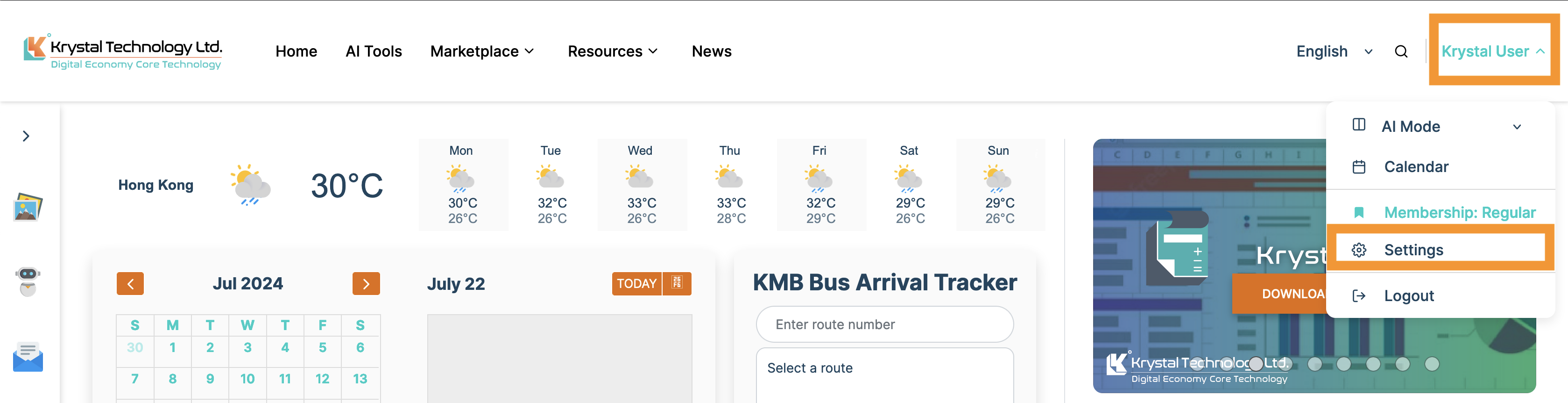
After you have logged in, you can enter your Promo Code by going to the user menu in the top-right corner of the page, selecting the "Settings" option.
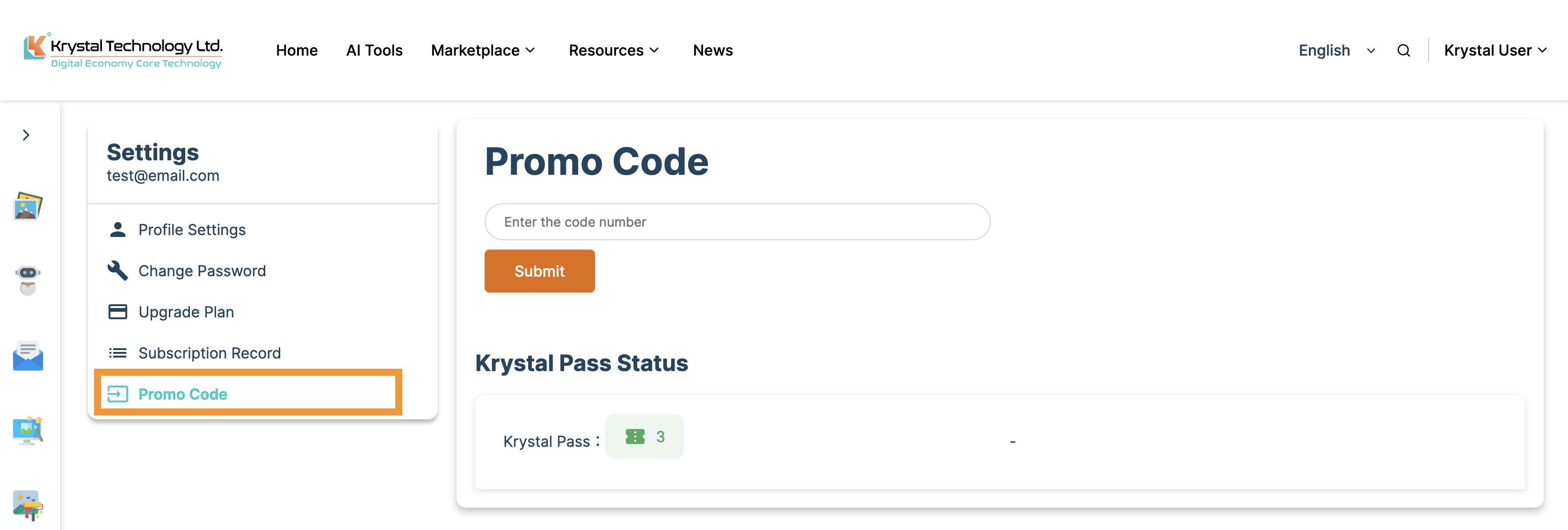
On the "Settings" page, you will find a section Promo Code, where you can enter your Promo Code.
Safari limits third-party cookies and data by default. Turn this option off to allow cross-site tracking:
In the Safari app, choose Safari > Preferences, click Privacy, then unselect "Prevent cross-site tracking".
There might be a chance of encountering an error during the page loading. Please re-login to your account and try again.